
DeepSearch AI People Finder
HYPE Software LLCLifestyle
4.320.00 Reviews
- Version
- 1.5
- Installs
- 100.00K
- Age Rating
- Everyone
Screenshots
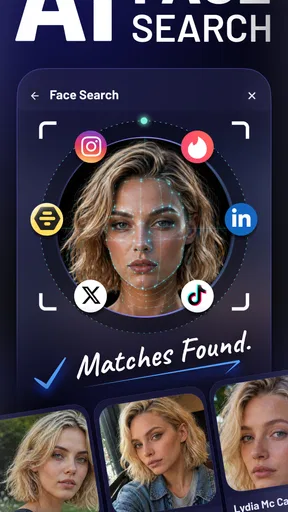
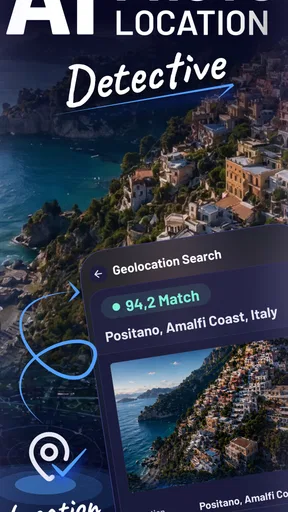
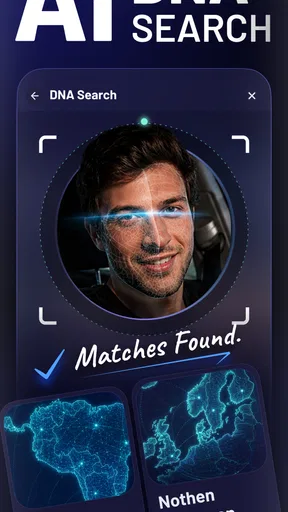
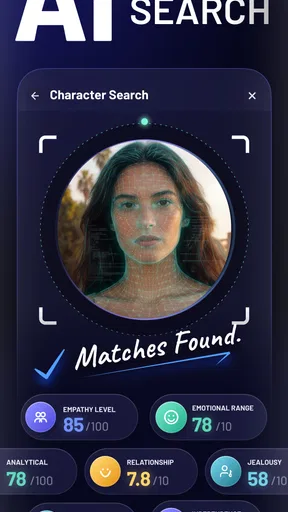
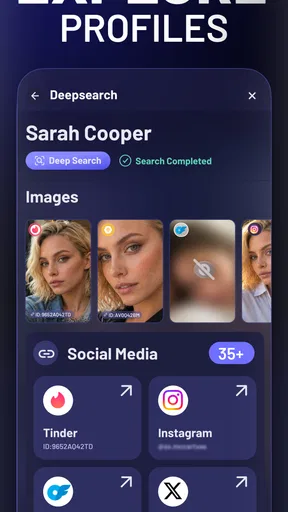
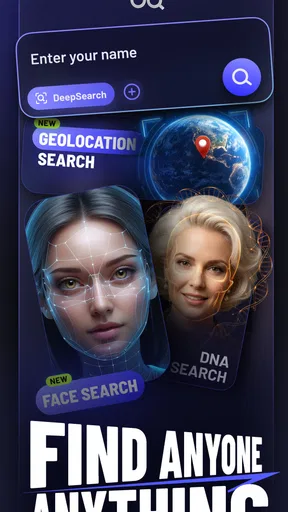
Our Review of DeepSearch AI People Finder
 Analysis by Appyee
Finding someone’s public social accounts sounds simple until a name leads to several possible people, a username has changed, or a search produces too little context to judge the result. DeepSearch AI People Finder is built for that specific Lifestyle use case: helping you look for social media accounts from a single place. I approached it less like a magic identity tool and more like a search assistant, because that is the fairest way to judge what it can do.
My first impression is that the app is most useful when I already have a few reliable clues. A name by itself is often too broad, while a name combined with a city, profession, nickname, or known platform gives the search a much better starting point. That distinction matters. The app can make the process more convenient, but it cannot turn uncertain information into certainty.
DeepSearch AI People Finder is free to install, with optional in-app purchases ranging from $3.99 to $79.99 per item. It comes from HYPE Software LLC, is rated for Everyone, and is aimed at people who want a quicker way to investigate publicly discoverable social profiles. Its current version is 1.5, and it runs on Android 7.0 or later.
Where the search experience can get stuck
The biggest source of frustration is usually not the search box itself. It is the quality of the starting information. If I enter a common name without any extra detail, I have no dependable way to know whether a result belongs to the person I have in mind. That is a limitation of people-searching in general, not something an app can completely remove.
I found it helpful to treat every result as a lead rather than a confirmed match. A profile picture, location reference, occupation, or familiar username can help narrow things down, but one matching detail should not be enough for a confident conclusion. This is especially important when searching for private individuals, where mistaken identification can quickly become intrusive or unfair.
Another sticking point is expectation. The store summary presents the app as a way to find social media accounts, but that does not mean every person will appear, every account will be current, or every platform will expose useful public information. Accounts may use different names, restrictive visibility settings, old usernames, or no public presence at all. If the search returns little, repeating the same query with tiny spelling changes is unlikely to solve the underlying problem.
A better approach is to prepare a small set of clues before searching. I would note the exact spelling of the name, alternative spellings, a known nickname, a likely city, and any public username fragment. Searching these variations separately is more informative than submitting one vague phrase repeatedly. It also makes it easier to notice when different results are actually pointing to the same public identity.
What I would prepare before opening the app
For a practical everyday example, imagine reconnecting with a former classmate. I would begin with the name I remember, then add the school or city only if the app allows that kind of context in the search process. If the first attempt is broad, I would try the person’s old nickname or a username fragment from an email signature or public profile. I would compare clues across results instead of choosing the first familiar-looking account.
This workflow is more reliable than searching from memory alone. It also prevents a common mistake: assuming that a similar display name means the correct person. Display names are often shared, while usernames can be changed or reused. I would avoid contacting someone based solely on a weak match, particularly when the search involves sensitive personal circumstances.
The app’s audience is therefore narrower than its simple description might suggest. It suits people doing a careful public-profile search, checking their own online footprint, or trying to locate a creator or acquaintance whose public identity is already partly known. It is less suitable for anyone expecting a complete directory of every account connected to a person.
Setup checks that prevent avoidable problems
Before judging the search quality, I would check the basics. The application needs to be installed on a compatible Android device, and the operating system requirement is Android 7.0 or newer. If installation fails, the first step is to check the device version and available storage rather than assuming the search service is broken.
I would also make sure the app is updated to version 1.5 through the normal app store process. Updates can affect loading, compatibility, and account-search behavior, so troubleshooting an older installation can create confusion. After updating, closing and reopening the app is a simple but worthwhile check if a screen appears stuck.
Network quality is another practical factor. A people-finder search depends on communication with online services, so a weak connection can look like an empty search or an endlessly loading request. I would switch between a stable Wi-Fi connection and mobile data, then try a small, clearly written query. If only one network fails, the problem may be connectivity rather than the search itself.
Input formatting deserves attention too. I would remove accidental spaces, check spelling, and avoid pasting a long sentence containing unrelated details. A concise name or username fragment is easier to evaluate than a cluttered query. When searching for a public account, I would preserve meaningful punctuation in a username but test a plain version as well, since people often remember handles imperfectly.
Because the app is free to start but includes optional purchases, I would pay attention to what the screen is asking for before continuing. I would not assume that every search action has the same cost or that a purchase guarantees a particular result. The sensible rule is to understand the displayed purchase choice first and only proceed when the value is clear to me.
The Everyone content rating makes the app broadly accessible, but that should not be confused with a guarantee that every search is appropriate for every situation. Responsible use still matters. I would avoid using it to pressure, monitor, or expose another person, and I would keep searches limited to information that is already meant to be publicly discoverable.
How I would test the app without wasting time
I would start with a harmless, well-known public identity or my own name rather than immediately searching for a private person. That gives me a way to understand the app’s presentation and search flow without creating an unnecessary privacy issue. Once I know how results are displayed, I can decide whether the tool is useful for my actual purpose.
I would then run a small set of controlled searches: an exact name, a name with one additional clue, and a known username fragment. The point is not to generate a large pile of results. It is to see whether better input produces more relevant output. This simple comparison tells me more than repeatedly searching the same vague name.
If the app requests information that I do not feel comfortable entering, I would stop and reconsider the task. A people-search tool should not be treated as a reason to overshare personal data. I would use the minimum information needed for a legitimate search and avoid entering sensitive details about someone else.
Recovering when a search does not work
When a search returns nothing, I would work through the problem in a fixed order. First, I would check the spelling and remove unnecessary words. Next, I would try a known username fragment or a different version of the person’s name. After that, I would test the same query on a stable connection and reopen the app if the interface appears frozen.
If the app returns irrelevant profiles, I would not immediately conclude that it is malfunctioning. The query may simply be too broad. I would add one distinguishing clue and compare the new results with the original ones. A useful recovery method is to change only one part of the search at a time, because changing everything makes it impossible to tell what improved the result.
There is also a difference between a technical failure and a genuinely unavailable account. If the app opens normally, accepts the query, and returns a consistent lack of useful matches, the person may use a different name, keep accounts private, have deleted an account, or have no discoverable profile. In that situation, more searching may not produce a better answer.
For a temporary loading issue, I would close other demanding apps, restart the connection, and reopen DeepSearch AI People Finder. If the problem continues across different searches and networks, I would wait before making another attempt rather than repeatedly tapping the same control. Repeated submissions can make the experience feel more broken and may not change the result.
I would also keep track of what I have already tried. A short note such as “exact name,” “nickname,” and “username fragment” prevents circular searching. This is one of the more useful habits with any people-finder tool: the goal is to improve the evidence, not simply increase the number of attempts.
When a different approach is better
For a creator, business, or public organization, searching directly on the relevant social network may be faster because that platform already understands its own usernames, verification signals, and profile structure. DeepSearch AI People Finder is more appealing when I want one starting point across a broader search, but a platform’s native search can be better when I already know where the account should be.
For reconnecting with someone I know personally, a direct message through an existing channel or a mutual contact is usually more respectful and more reliable than trying to identify several similar profiles. The app can help when I have lost a public username, but it should not replace consent or ordinary communication when those options exist.
For checking my own online presence, the app may be useful as one part of a wider audit. I would search my name and common usernames, then separately inspect the profiles I control and adjust their visibility through each platform’s own settings. A search result is only a snapshot; it is not a complete privacy report.
When the app is not the cause
Sometimes the real issue is the information being searched. A misspelled name, an outdated username, or a profile that has moved to another platform can produce poor results even when the app is operating normally. I would verify the clue from an old message, business card, public page, or other legitimate source before blaming the search tool.
Privacy settings can also explain an empty result. Someone may intentionally keep an account difficult to find, use a private profile, or avoid connecting their real name to a public username. I would respect that choice rather than treating the lack of a result as a challenge to overcome.
Search context matters as well. A person who uses a nickname among friends may use a formal name professionally. A creator may separate personal and public accounts. A business owner may list a brand instead of a personal identity. These patterns make a single search phrase unreliable, and they are reasons to compare clues carefully instead of assuming the app has missed something obvious.
I would be particularly cautious with results that appear to expose sensitive information. Even if a profile is publicly visible, collecting or sharing details about someone can cross a line. My recommendation is to use the app for ordinary discovery of public accounts, not for surveillance, harassment, or attempts to bypass someone’s privacy choices.
The purchase model is another point where the app may not be the right choice. Since the application is free but offers paid items, users who only need occasional manual searching may prefer to use the social platforms themselves. Someone who searches frequently may find the convenience worthwhile, but only after understanding the purchase screen and deciding whether the results justify the expense.
My practical verdict after using the search approach
DeepSearch AI People Finder is best understood as a convenient starting point for public social-account discovery, not as a guaranteed identity-matching system. I like the idea of having a focused tool for a task that otherwise involves jumping between networks, but its usefulness depends heavily on the quality of the clues I provide and my willingness to verify results carefully.
The app has a 4.3 average from around 2.6 thousand ratings and has passed 100 thousand installs, which suggests that many people find the concept worthwhile. Those figures do not change my main advice: judge it by your own search needs. If you regularly look for public profiles using several pieces of context, the free entry point makes it reasonable to try.
I would recommend it to someone trying to locate a public creator account, check whether their own usernames appear online, or reconnect with an acquaintance when a few legitimate clues are available. I would not recommend relying on it for sensitive investigations, definitive identity claims, or searches where privacy and consent are central concerns.
The most effective way to use it is deliberately: begin with minimal, accurate information; test one clue at a time; check your connection and Android compatibility before troubleshooting deeper; and treat every result as something to verify. The key trade-off is convenience versus certainty. DeepSearch AI People Finder can shorten the first stage of a search, but good judgment still has to complete the job.
Overall, I see it as a useful niche Lifestyle app rather than an all-purpose answer to finding anyone online. Its free starting point, broad age rating, and focused purpose make it approachable, while the optional purchases and unavoidable ambiguity of public-profile searches call for restraint. If you want a quicker first pass and understand its limits, it is worth testing. If you need guaranteed matches or already know the correct social platform, a direct platform search or respectful contact route will usually be the better choice.
Verdict
Strengths of DeepSearch AI People Finder
- Finds publicly available information from multiple online sources.
- Useful for reconnecting with old friends or verifying professional identities.
- Simple search process with minimal setup required.
- Can help organize scattered details about a person in one place.
- Available on mobile, making searches convenient while traveling.
Limitations of DeepSearch AI People Finder
- Results may be incomplete, outdated, or linked to the wrong person.
- Privacy concerns arise when searching for sensitive personal information.
- Some features or detailed results may require payment.
- Search accuracy depends heavily on the information you provide.
- Availability and quality of results can vary by country.
Similar Picks in This Category
View All
SmartThings
Samsung Electronics Co., Ltd.4.6

Google Home
Google LLC4.0

Pinterest4.2

Astrotalk - Talk to Astrologer
Astrology & Horoscope4.7

My Verizon
Verizon Consumer Group4.5

Samsung Wallet (Samsung Pay)
Samsung Electronics Co., Ltd.4.1
Frequently Asked Questions
What is DeepSearch AI People Finder, and what does it do?
DeepSearch AI People Finder is designed to help users search for publicly available information associated with a person, such as social profiles, professional references, or other online mentions. Its results depend on the information indexed by external sources, so it should be treated as a search and discovery tool rather than a guaranteed identity-verification service. Always review results carefully before drawing conclusions.
Is DeepSearch AI People Finder accurate and reliable?
The app’s accuracy can vary significantly depending on the person’s name, location, online presence, and the quality of available public records. Common names may produce unrelated results, while people with limited online information may return very little data. During testing, users should compare multiple sources and confirm important details independently instead of assuming that every match belongs to the person being searched.
Does DeepSearch AI People Finder protect user privacy?
Before using the app, review its privacy policy and the permissions requested on your device. People-search services may process search queries, account information, device data, or publicly available information, depending on their operating model. Avoid entering sensitive personal details unnecessarily, and do not use results to harass, monitor, impersonate, or make unfair decisions about another person.
Is DeepSearch AI People Finder free to download and use?
The application may be free to install while offering optional subscriptions, credits, premium searches, or other in-app purchases. Pricing, trial periods, and available features can differ between Android and iOS and may change over time. Check the store listing and the in-app payment screen carefully, especially the renewal terms, before starting a trial or confirming a purchase.
What should I do if the app cannot find the person I am looking for?
Try using accurate spelling, alternative name formats, a known city, approximate age, workplace, or another non-sensitive detail that can narrow the search. Avoid adding excessive personal information simply to obtain a result. If the search still fails, the person may have little publicly indexed information, may use different online identities, or the service may not cover the relevant sources.
